Automating with n8n
Creating my own threat intelligence feed and fun automations with n8n.
Proxmox
As always, I started by creating a new Linux container (LXC) on Proxmox called n8n and gave it the following specs:
2cores.1.5 GBof memory.10 GBof storage.
Installing n8n
n8n provides documentation on how to self-host here, https://docs.n8n.io/deploy/host-n8n. The only requirement before installing n8n is having Docker installed, which I’ve installed with the following commands.
1
2
curl -fsSL https://get.docker.com | sh
sudo usermod -aG docker $USER
Once Docker is installed, n8n can be installed with a simple one-liner as well.
1
curl -fsSL https://get.n8n.io | sh
After the script runs, everything should be all set! n8n by default is hosted on port 5678. As I stated in Remote Access with Tailscale & Caddy, I don’t want to remember IP addresses or port numbers. Therefore, the first thing I’m going to be doing is editing my /etc/caddy/Caddyfile on my Caddy container and adding the following lines.
1
2
3
4
5
6
n8n.mydomain.com {
    tls {
        dns cloudflare {env.CLOUDFLARE_API_TOKEN}
    }
    reverse_proxy 192.168.1.100:5678
}
I will then restart Caddy with systemctl reload caddy. After that, I’m now able to reach n8n at https://n8n.mydomain.com.
Why n8n
I’ve always been fascinated with n8n and it’s capabilities. I could never capture everything n8n is capable of doing, which is why I’m going to focus on only one thing. One of the other driving factors in starting my own home lab was creating my own threat intelligence feed. n8n makes this possible with RSS Feed Trigger and HTTP Request blocks to pull information and store it all in one place (for me this will be Discord).
Monitoring the Latest CVEs with CVEFeed
You can find CVEFeed’s RSS feeds here https://cvefeed.io/rssfeed/. For my threat intelligence feed, I’m focusing only on Critical and High severity CVEs to cut back on noise.
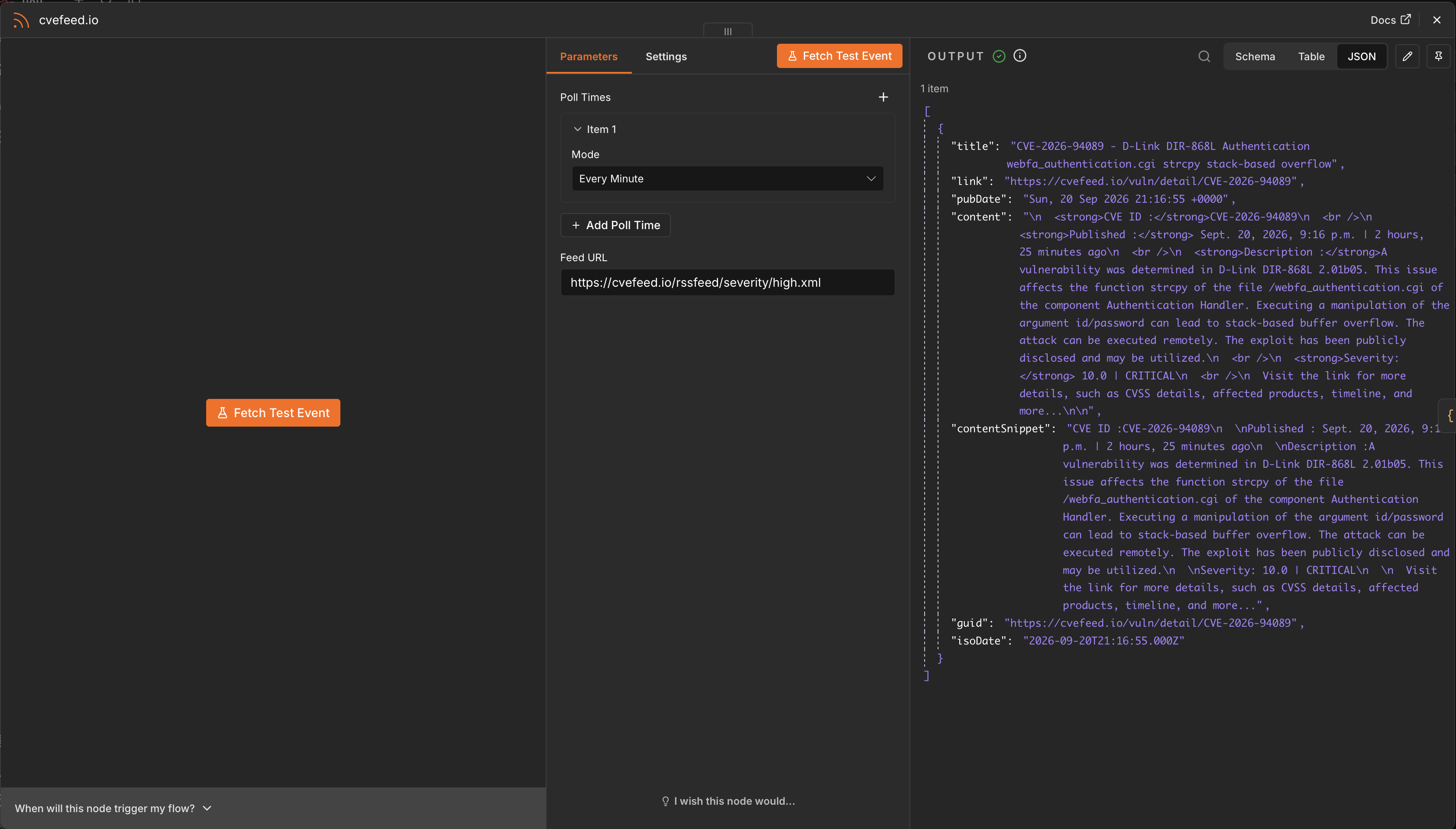
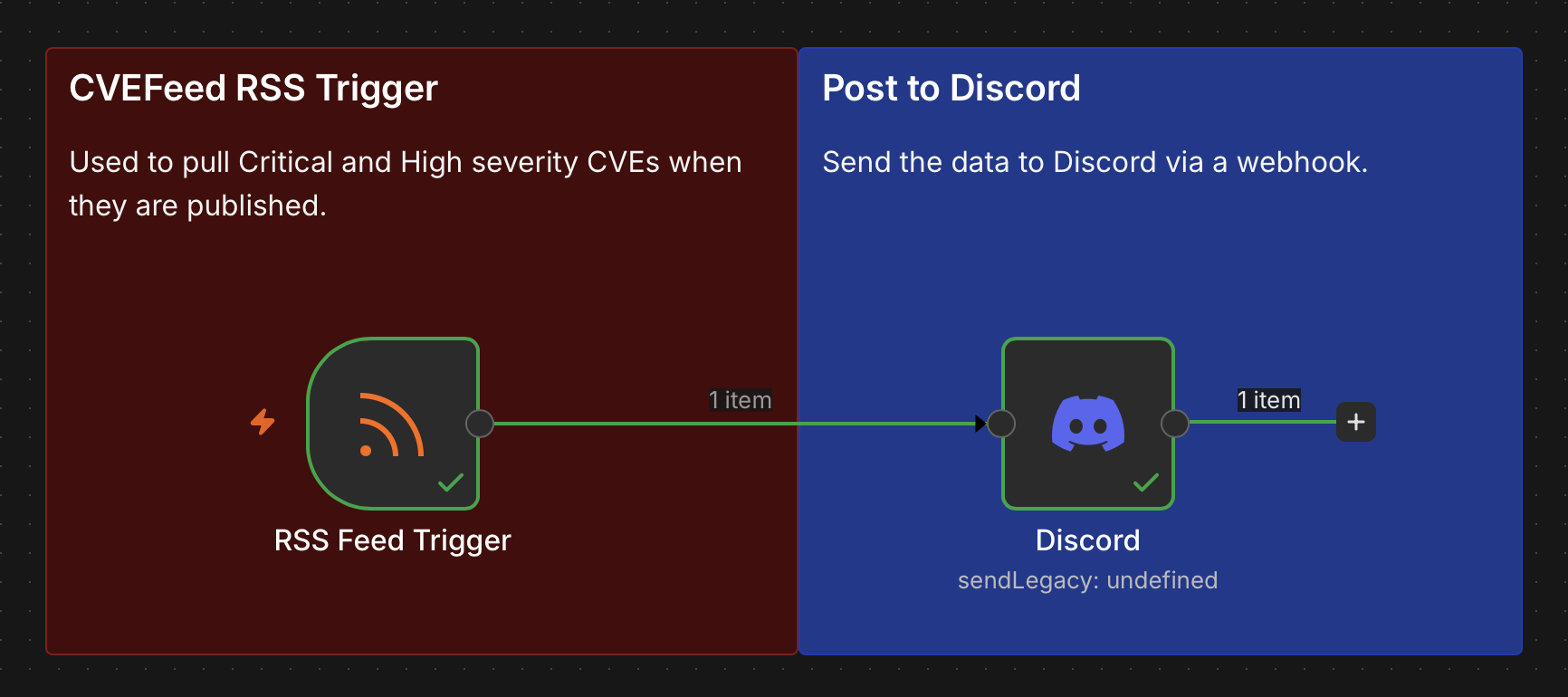
As seen in the screenshot above, I used the RSS Feed Trigger block and entered the URL provided by CVEFeed. I clicked on the Fetch Test Event button so that I could see what data is included within the feed. Next, I’ll add a Discord block with the Send Message action to send the data to Discord via a webhook.
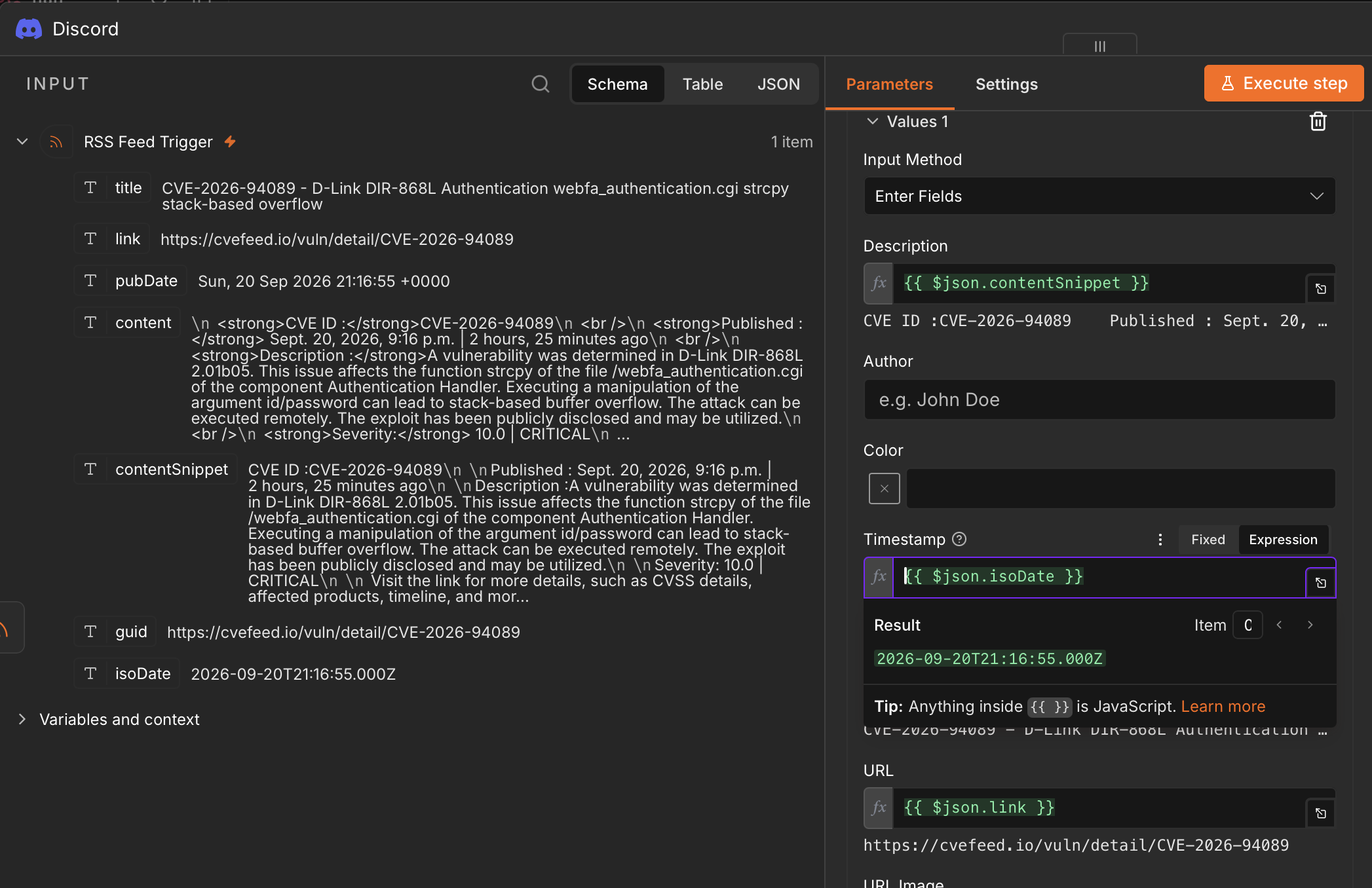
What makes n8n so easy is I can drag and drop fields from the input pane on the left into the different fields on the right. n8n will also show a preview of what is going to be sent. Clicking on the Execute Step button will send the data to the webhook allowing me to make sure I got the formatting correct.
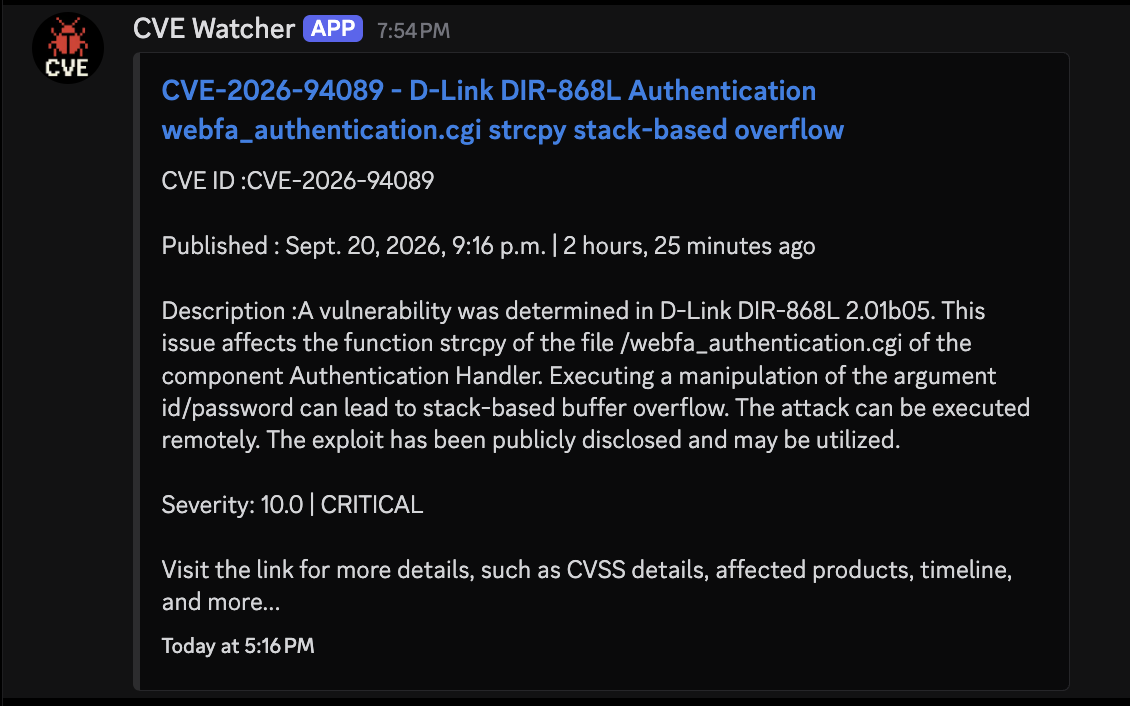
That’s it, just those two n8n blocks and now I’m able to see Critical and High severity CVEs as they’re published right in Discord.
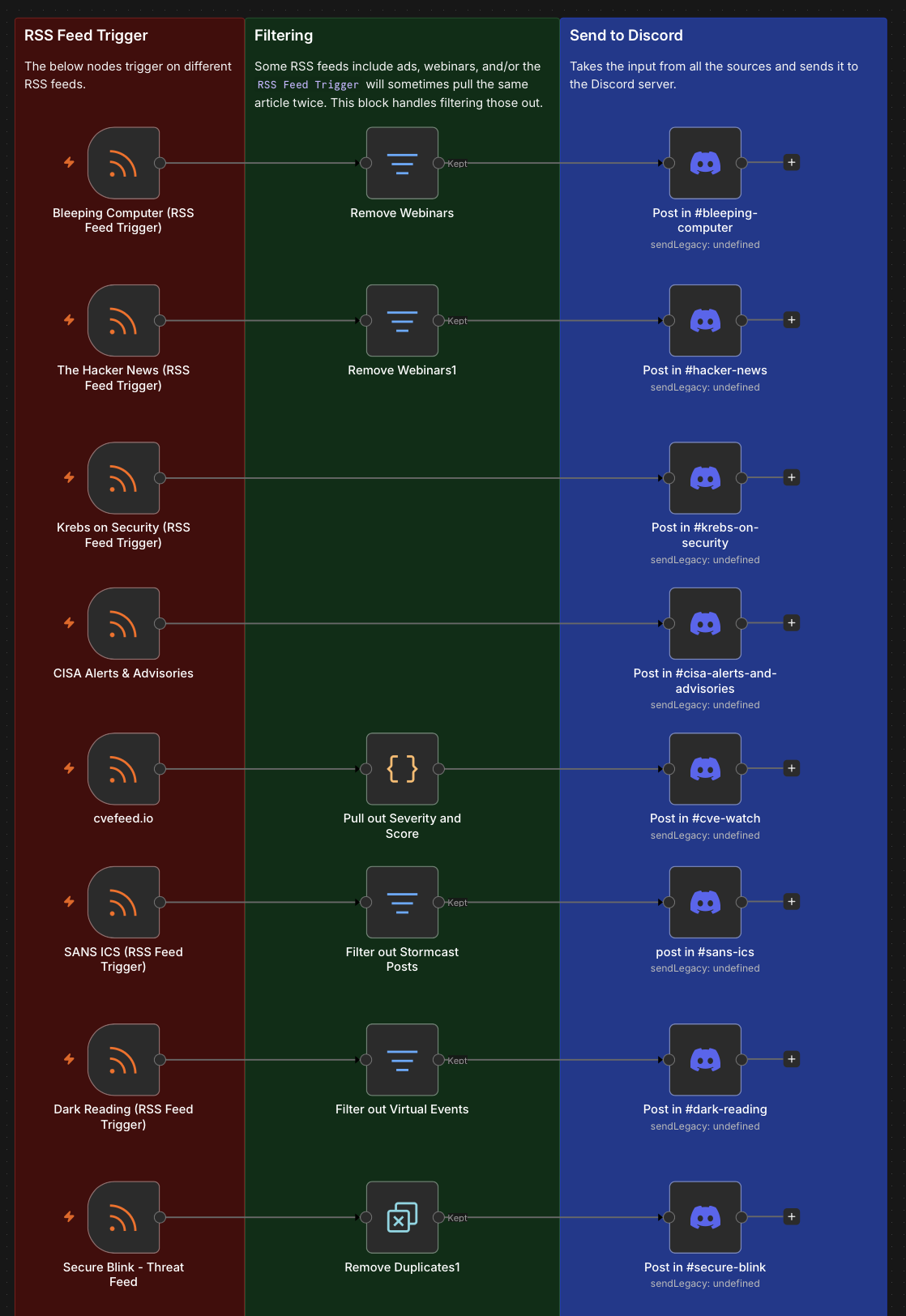
Here is an example of some other capabilities of n8n, like filtering out certain articles or removing duplicates.
My Threat Intelligence Feed
As stated above, I’ve used n8n to build out part of my threat intelligence feed. The benefit of this server is I no longer have to jump from site to site to catch everything. I get notifications in real time about the latest CVEs or threats and can turn that into actionable items at my job.
At the time of writing, my threat intelligence feed server on Discord pulls the following:
- Bleeping Computer
- The Hacker News
- Krebs on Security
- Dark Reading
- Secure Blink
- Google Threat Intelligence
- CrowdStrike’s Blog
- Cisco Talos
- Huntress’ Blog
- SOCRadar
- Critical & High Severity CVEs
- Critical & High Severity GitHub Advisories
- CISA Advisories and Alerts
- SANS Internet Storm Center (ISC)
- Center for Internet Security (CIS) Advisories
- Ransomware Leaks
I’m always adding more feeds and finding ways to capture the highlights of what’s currently happening. Currently, I’m testing n8n’s AI Agent block to summarize articles posted the day prior into a daily threat briefs.
I want this server to remain open and free for everyone to use! If you’d like to join please use https://discord.gg/ANwbG9Ju4g. Additionally, please provide suggestions for how I can improve the server for everyone.